
Privacy & data
Your health data stays on your phone.
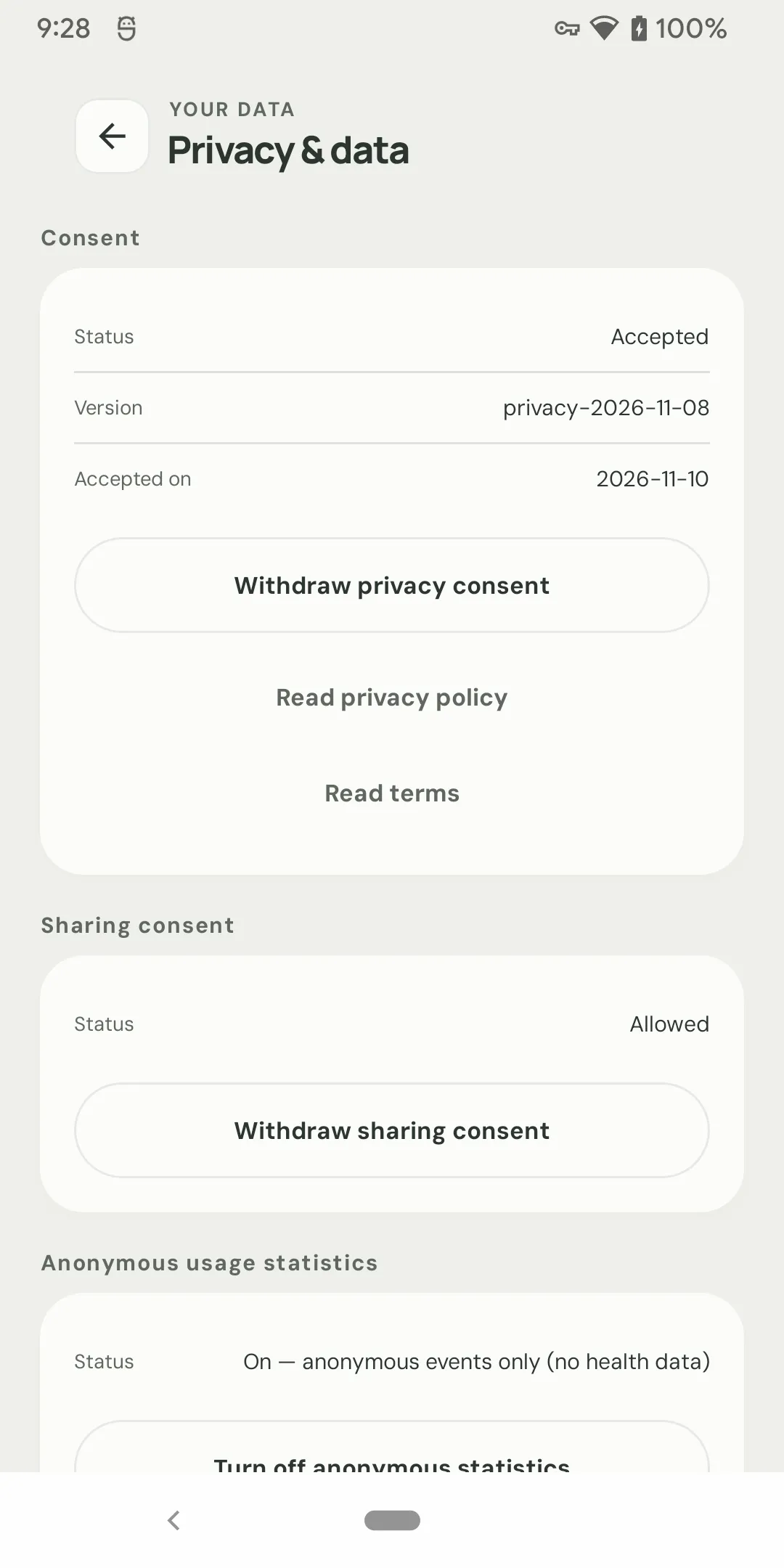
No online account. No upload of your weight, GLP-1, nutrition, measurements, or photos. Export when you choose, delete when you want. Privacy is the architecture, not a settings page.
Local-first
The default is your device.
Weight, goals, measurements, GLP-1 records, nutrition, hydration, workouts, and photos are stored in the app’s private storage. There is no server-side health profile to breach.
- Health records are stored locally, not in a cloud account.
- Photos stay in the app’s private storage.
- Multiple local profiles are supported.
- Android cloud backup and device transfer exclude the health database and photos.
Nothing to sign up for.
There is no email verification, no password, and no online profile. Open the app and use it. If you want a second local profile, create one in the app.
Leaving the device
Only when you choose.
Export, share, print, and backup are deliberate actions. You pick the destination; the app does not upload the file for you.
CSV & JSON export
Export weight history as CSV or the full profile as JSON. Choose a date range and an optional display-unit column.
Import & export guide →Password protection
JSON exports can be protected with a password using AES-GCM. The password cannot be recovered; keep it safe.
Local backup
Create a full local .zip backup of a profile, including photos. The backup is not encrypted, so store it somewhere you trust.
Network boundaries
What leaves the device, and what does not.
A privacy claim is only useful if it is specific. These are the only network paths in the app.
Food search
The search term is sent to the Weight-Food API (hosted on Cloudflare) to return USDA food data. It is not tied to an account and is not used to build advertising profiles. Your diary stays on the device.
Anonymous analytics
The app may send anonymous usage events such as features used, taps, and screens. It never sends weights, goals, GLP-1 records, nutrition, measurements, or photos. You can turn it off in the Privacy Center.
Ads
Google AdMob receives device-level ad metadata such as advertising ID, IP address, and ad interactions. It does not receive your health records. Where required, ads use a certified consent platform.
Health Connect
If you connect Health Connect, the app reads weight and body composition from sources you authorize. The imported data stays on the device; the app does not upload it.
Health Connect sync →
Display privacy
Hide the numbers, not the data.
Sometimes the risk is a person looking over your shoulder, not a server. Display privacy masks weight, BMI, goals, nutrition, and GLP-1 values across the app.
- Hide weight and body-composition values.
- Hide nutrition calories and macros.
- Pause goals and turn off streaks or celebrations.
- Exports and inputs are unchanged.
Your choices
Delete it, export it, or ask us.
You do not need to contact support to exercise the basic controls. They are in the app.
Delete all data
The Privacy Center includes a delete-all path for the app. This is permanent and cannot be undone.
Export first
If you might want the record later, export a CSV or JSON file before deleting. Store it somewhere you trust.
Email support
For a device transfer or a privacy question, email support@weightasst.com.
Privacy questions.
Do I need an account?
Is my health data uploaded?
What happens if I change phones?
Can I delete everything?
Do ads use my health data?
Keep exploring
Privacy & data
A health record that stays yours.
Local-first, no account, encrypted export, and a real delete-all path. Free on Android.
- 1M+ installs since 2013
- Current version 4.2
- No account required
- Free on Android