
Health Connect
Your scale, your apps, one record.
Health Connect is Android’s on-device health hub. 4.2 can read weight and body composition from it — and optionally write your logged entries back, so the rest of your health apps see them.
What syncs
Weight first. Body composition when available.
A smart scale can write several records to Health Connect. The app imports the weight and enriches it with the body-composition values your scale or health app provides.
- Weight is the core reading; the app can work without body-composition data.
- Body fat, lean mass, body water, and bone mass are optional enrichments.
- Permissions are granular — you choose what to share.
- Imported records are stored locally on your device.
Weight
The core reading from a smart scale or another health app.
Body fat
Stored as a percentage when the source provides it.
Lean body mass
Converted into the app’s body-composition columns.
Body water
Imported when available and attributed to the right profile.
Bone mass
Optional body-composition context, not a diagnosis.
How it works
Connect once. Then let the record fill in.
Health Connect is not a cloud account. The connection is between your device, Health Connect, and the app.
Open Data sync
Choose Health Connect as the source and connect it.
Grant read access
Allow weight, and optionally body composition. You can change this later.
Sync or import
Run a sync now, or import all history with the extra permission.
Review the record
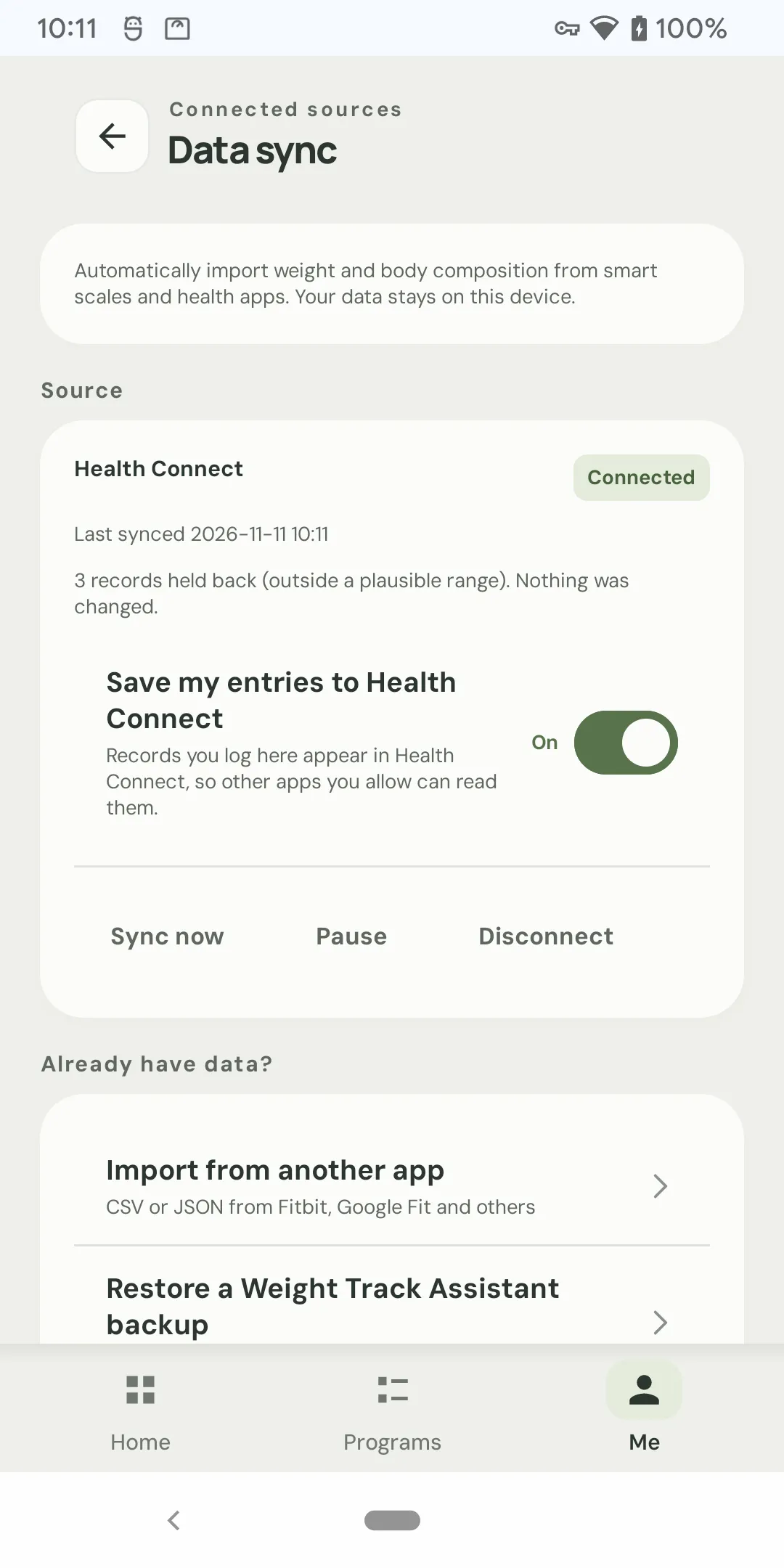
New readings appear in your local history and trend. Out-of-range records are held back.
Writeback
Your logged entries can feed the hub, too.
Optionally, save the weight and body-fat entries you log in 4.2 back to Health Connect. Other apps you allow can then read them.
- Off by default; you choose whether to write back.
- Writeback covers weight and body fat, not every module.
- You control which apps can read Health Connect data.
- Disconnecting does not delete the original Health Connect records.
Not a cloud account.
Health Connect lives on your Android device. Weight Track Assistant reads and writes locally; it does not upload your health records to a Weight Track Assistant server.
Control
A connection you can pause, fix, or remove.
Sync should not be a one-way surprise. The app shows the connection state and gives you a clear action.
Sync now or automatic
Run a sync when you want, or let the app keep the connection current.
Re-authorization
If Android revokes access, the app tells you and waits for you to re-authorize.
Profile attribution
“Who mainly weighs on this scale?” files incoming records under the right local profile.
Out-of-range guard
Records outside a plausible range are held back; nothing is changed silently.
Pause & disconnect
Pause sync, or disconnect and choose whether to delete imported readings.
Import all history
A separate permission for older data; grant it only if you want the full history.
Health Connect questions.
Is Health Connect a cloud sync?
What data can the app read from Health Connect?
Does it import my entire history?
Does the app write back to Health Connect?
What happens if I disconnect?
What if Health Connect access is revoked?
Do I need Health Connect to use the app?
Is my Health Connect data uploaded to Weight Track Assistant?
Keep exploring
Health Connect
Let your scale talk to your record.
Import weight and body composition from Health Connect — with optional writeback and local-first privacy.
- 1M+ installs since 2013
- Current version 4.2
- No account required
- Free on Android